
For FiveM servers
Clothing and weapon images for your FiveM server
Export a picture of every clothing item and every weapon in GTA V, named the way your scripts look them up. RPFView renders them straight from your game files: no server, no greenscreen, no screenshot loop.
Free · Windows 10 or 11 (64-bit) · GTA V Legacy for PC
Exported images
Clothing
Named by FiveM: collections · WebP, 512 px
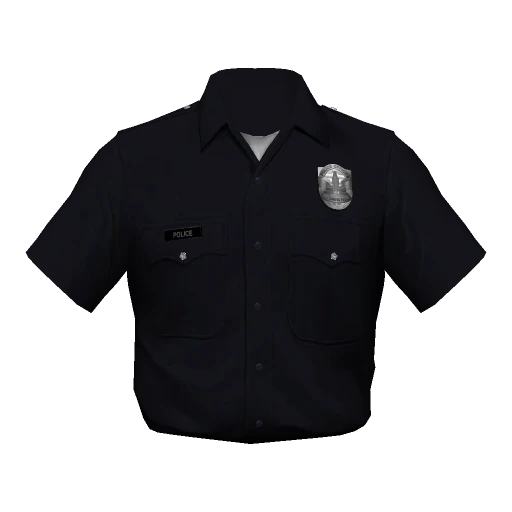
male_
11_ male_ heist_ 2.webp Top 55, police shirt
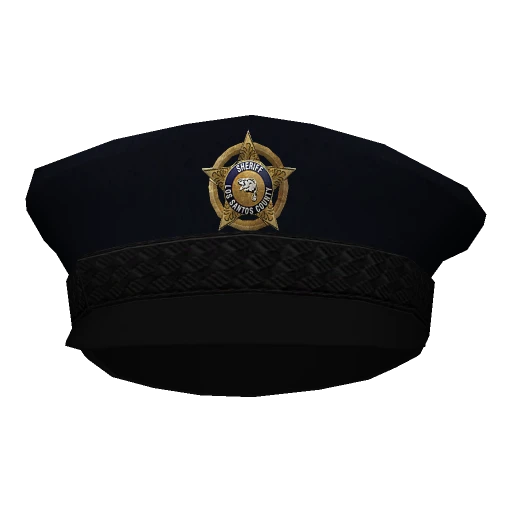
male_
prop_ 0_ male_ heist_ 0.webp Hat 46, police cap
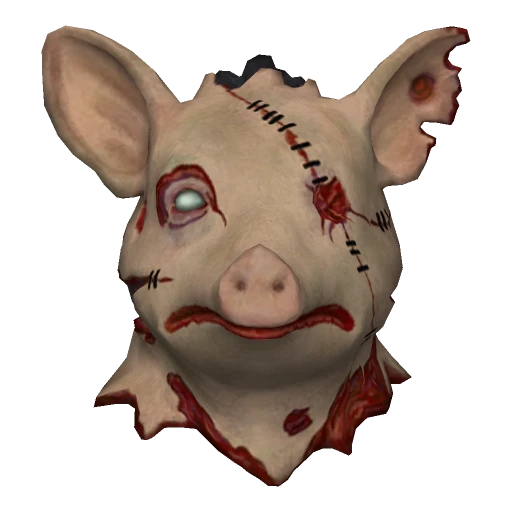
male_
1_ mp_ m_ heist3_ 2.webp Pig mask
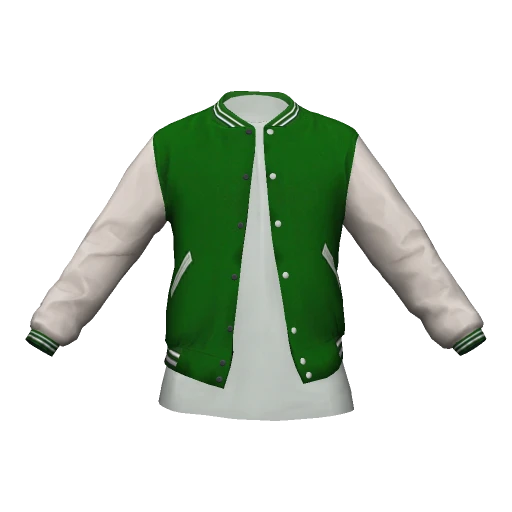
male_
11_ mp_ m_ 2023_ 01_ 25.webp Varsity jacket
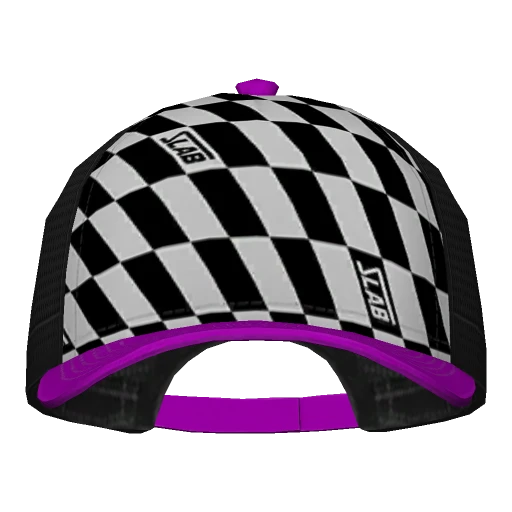
male_
prop_ 0_ mp_ m_ christmas3_ 9.webp Checkered cap
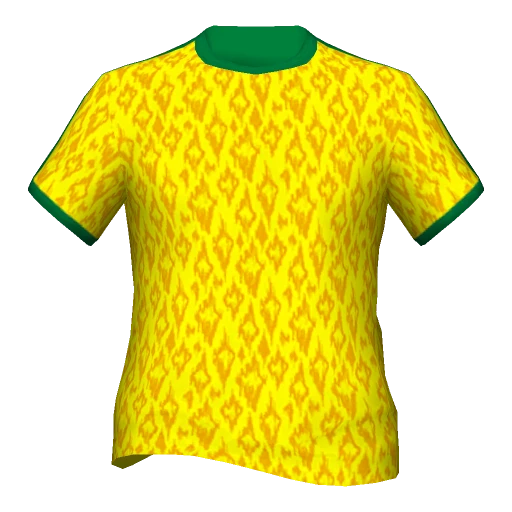
male_
11_ mp_ m_ 2023_ 02_ 26.webp Football shirt
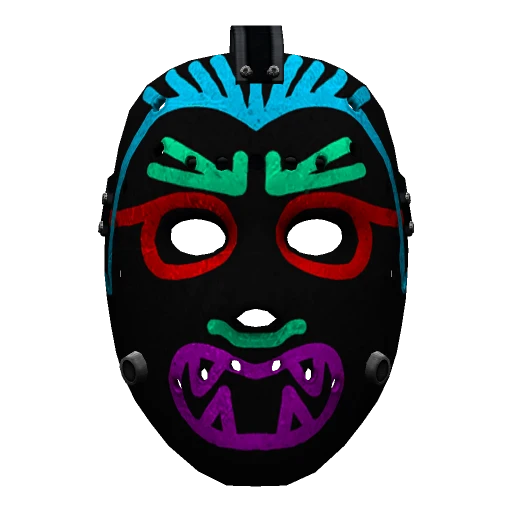
male_
1_ mp_ m_ christmas2017_ 3.webp Neon mask
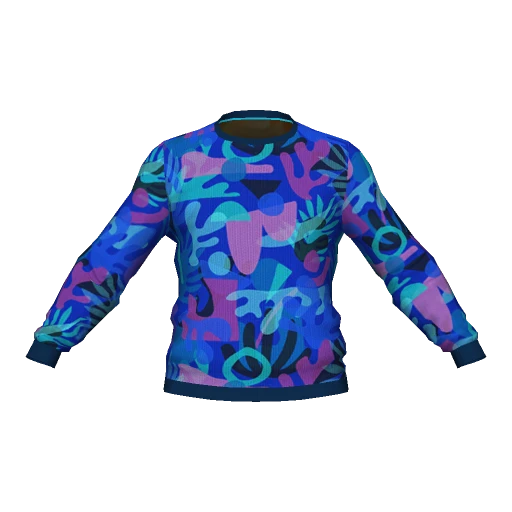
male_
11_ mp_ m_ battle_ 4.webp Patterned jacket
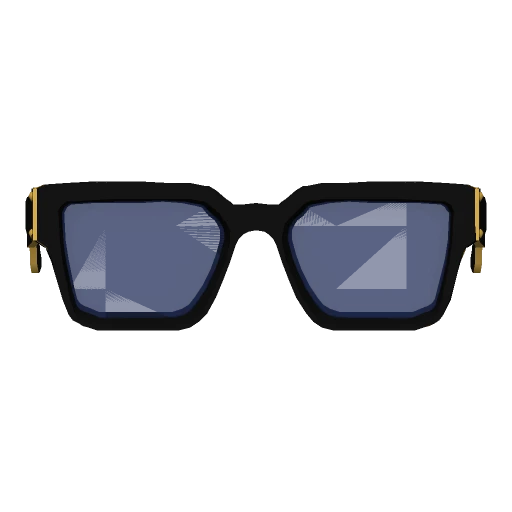
male_
prop_ 1_ mp_ m_ vinewood_ 1.webp Sunglasses
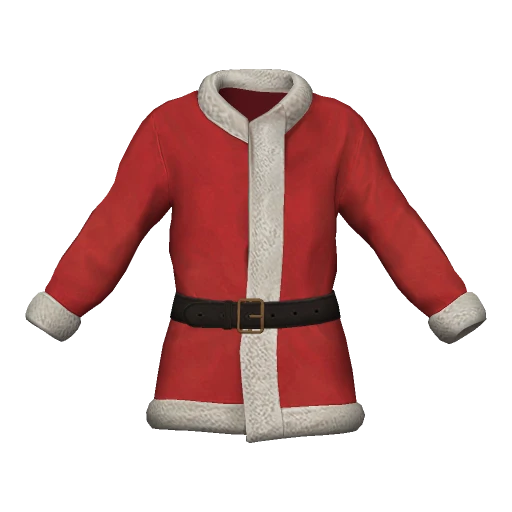
male_
11_ mp_ m_ 2023_ 02_ 2.webp Santa jacket
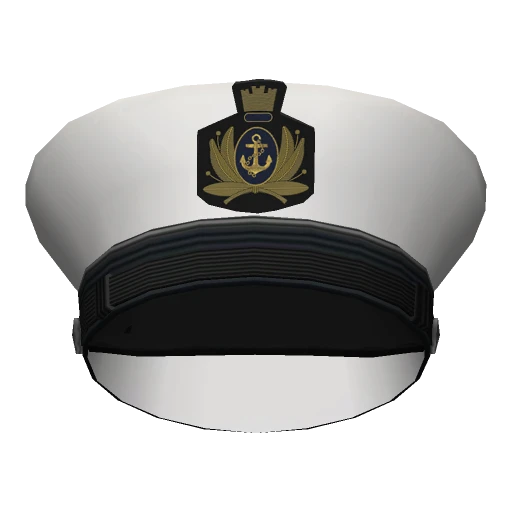
male_
prop_ 0_ mp_ m_ sum_ 0.webp Captain's hat
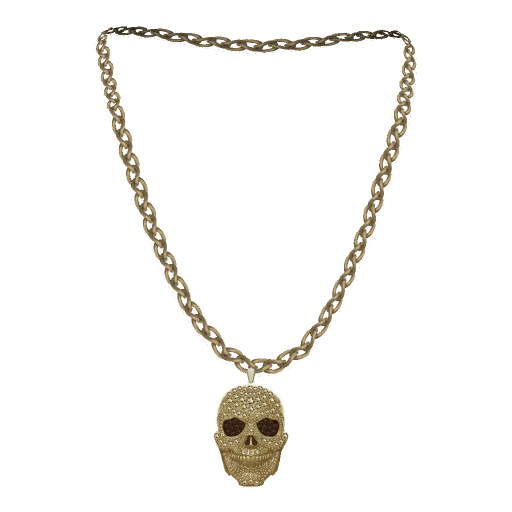
male_
7_ mp_ m_ luxe_ 01_ 1.webp Skull chain


One top, 26 textures
Texture 0 has no suffix; the others end in _1 … _25
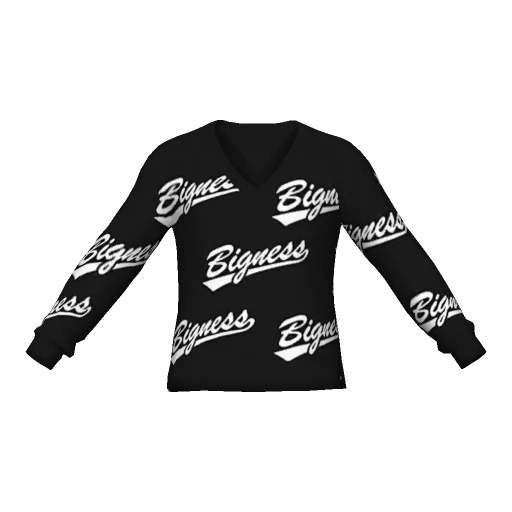
male_
11_ mp_ m_ 2023_ 01_ 0.webp Texture 0
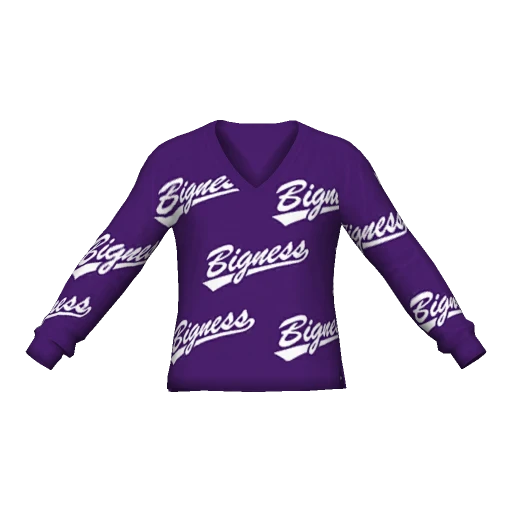
male_
11_ mp_ m_ 2023_ 01_ 0_ 1.webp Texture 1
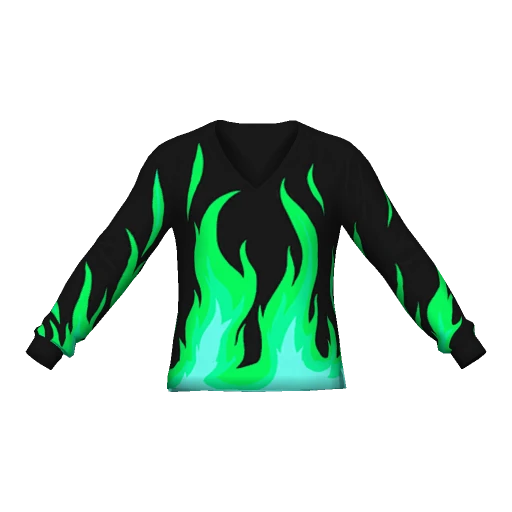
male_
11_ mp_ m_ 2023_ 01_ 0_ 7.webp Texture 7
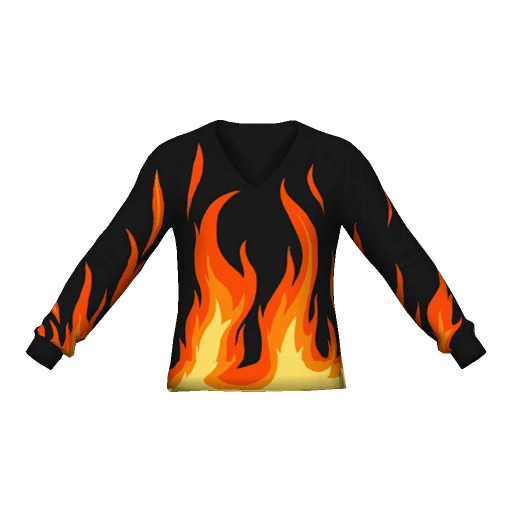
male_
11_ mp_ m_ 2023_ 01_ 0_ 8.webp Texture 8
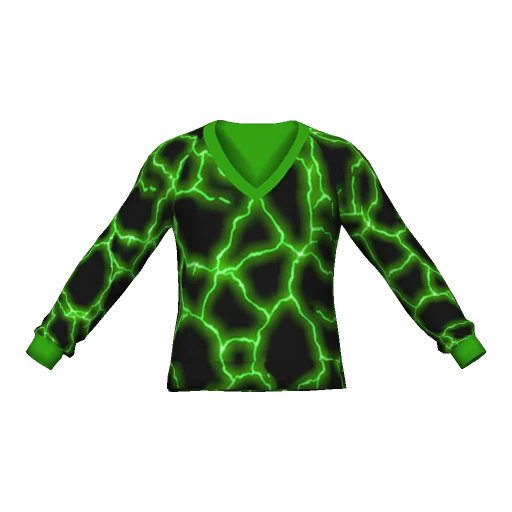
male_
11_ mp_ m_ 2023_ 01_ 0_ 14.webp Texture 14
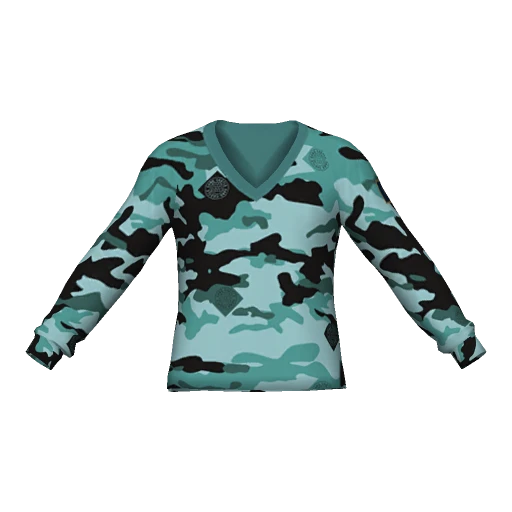
male_
11_ mp_ m_ 2023_ 01_ 0_ 19.webp Texture 19


Weapons
Named by {weapon}
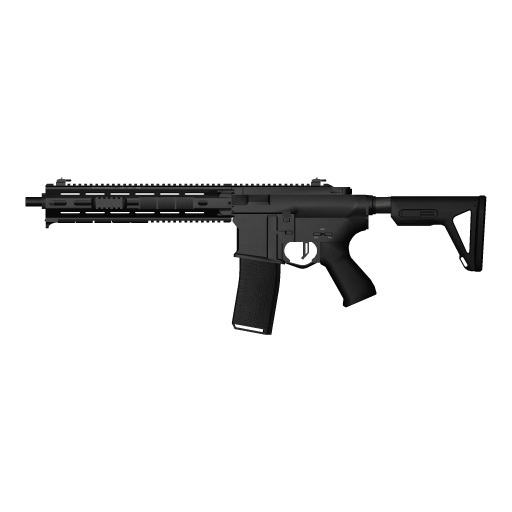
WEAPON_
CARBINERIFLE_ MK2.webp Carbine Rifle MK II
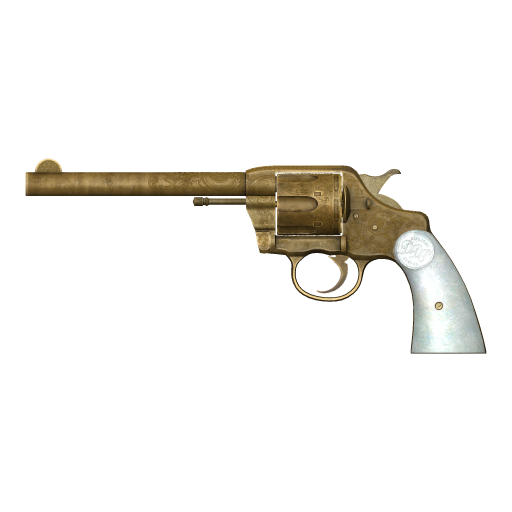
WEAPON_
DOUBLEACTION.webp Double-Action Revolver
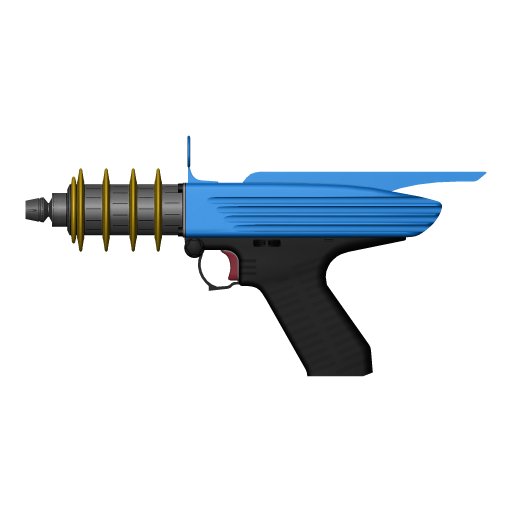
WEAPON_
RAYPISTOL.webp Up-n-Atomizer
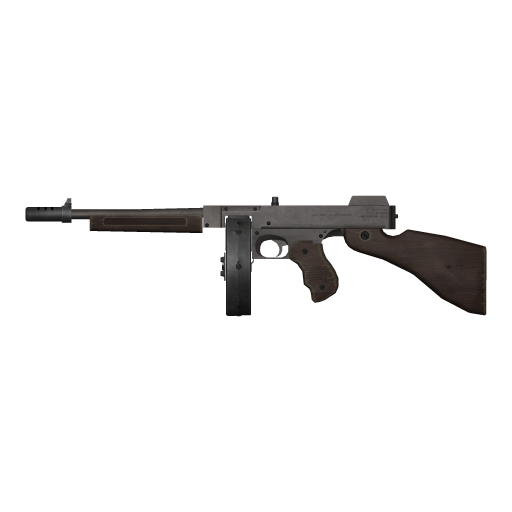
WEAPON_
GUSENBERG.webp Gusenberg Sweeper


6,128
clothing items of the freemode peds, from the base game and every DLC pack
124
weapons, with 608 components, camos and finishes
1,692
weapon images exported in about a minute (128 px)
0
screenshots taken in game: everything renders from the game files
01Clothing
Numbered like the game. Named like your scripts.
In the Thumbnail Generator, All clothing of lists every component and prop of a ped from the base game and all DLC packs in one catalog, counted the way the game counts them. Pick the numbering your scripts use and every image is named to match.
FiveM: game numbers
The numbers SetPedComponentVariation takes
Drawables are counted across the base game and every DLC pack in the game's own load order, so the numbers match your scripts and clothing menus. The names are the ones fivem-greenscreener writes.
{gender}
- male_11_55.webptop 55, the police shirt
- male_prop_0_46.webphat 46, the police cap
- male_11_0.webptop 0 of the base game
FiveM: collections
The names the collection natives take
SetPedCollectionComponentVariation and the other collection natives address an item by its collection and its number inside it. Those stay the same when a new DLC pack shifts the game numbers.
{gender}
- male_11_male_heist_2.webpthe same police shirt
- male_prop_0_male_heist_0.webpthe same police cap
- male_11__0.webpbase game: no collection name
Checked on real data
Top 55 is the police shirt
RPFView orders the DLC packs by their setup files, as the game does, not by dlclist.xml, which would put top 55 and hat 46 on a hoodie and a helmet. So the classic police uniform lands where every FiveM server expects it.

- FiveM: game numbers
- male_11_55.webp
- FiveM: collections
- male_11_male_heist_2.webp
| Slot | Game number | Image |
|---|---|---|
| Top (component 11) | 55 | male_11_55.webp |
| Undershirt (component 8) | 58 | male_8_58.webp |
| Shoes (component 6) | 25 | male_6_25.webp |
| Hat (prop 0) | 46 | male_prop_0_46.webp |
02Name patterns
Try the naming before you export
The Thumbnail Generator offers ready-made patterns, FiveM's first, and takes your own. Pick one or type a pattern: the names change the way the generator would name the files.
Same names as fivem-greenscreener. Only with “All clothing of”, the only source that knows the game's numbers.
Placeholders
Generated files
The Thumbnail Generator's example values: top jbib_002_u of mpheist, game number 55, the police shirt. Variations b and c are added to show the texture placeholders.
- male_11_55.webp
- male_11_55_1.webp
- male_11_55_2.webp
03Your own clothing
Addon packs, straight from the stream folder
A FiveM clothing resource streams its files flat, with the collection in the name. Choose the stream folder in the Thumbnail Generator, or open a model from it in Drawable Studio, and RPFView sorts the files back into their collections.
[clothes]\mypack\stream\
- mp_m_freemode_01_mp_m_mypack^
jbib_000_u.ydd - mp_m_freemode_01_mp_m_mypack^
jbib_diff_000_a_uni.ytd - mp_f_freemode_01_mp_f_mypack^
jbib_000_u.ydd - mp_m_freemode_01_p_mp_m_mypack^
p_head_000.ydd
Collection
- mp_m_freemode_01_mp_m_mypack
- mp_f_freemode_01_mp_f_mypack
- mp_m_freemode_01_p_mp_m_mypack
Generate: FiveM: collections
- male_11_mp_m_mypack_0.png
- male_11_mp_m_mypack_0_1.png
- female_11_mp_f_mypack_0.png
- male_prop_0_mp_m_mypack_0.png
- Male, female and prop files with the same names stay apart: each collection named before the
^is its own, and you pick one under Collection. - In Drawable Studio, new texture variations are saved with the same prefix, e.g.
…^jbib_diff_000_c_uni.ytd. The pack's.ymtstill needs the new variation before the game offers it. {dlc}is the resource (the folder holdingstream),{collectionName}the collection without the ped, e.g.mp_m_mypack.- Game numbers depend on the other clothing on your server, so here images are named by collection and by the files' own numbers, as the collection natives take them: FiveM: collections is preset.
FiveM names a collection after the dlcName in the pack's .ymt. RPFView takes the name from the file prefix and assumes the two match, as they do in Rockstar's own packs.
04Weapons
Every weapon, tint and attachment, by its game name
Thumbnails → Weapons… reads every weapon of the base game and all DLC packs from the game's weapon files. Images are named by the names the game and your scripts use, such as WEAPON_PISTOL_MK2 and COMPONENT_AT_PI_RAIL.
 RPFView – Thumbnail Generator
| Image | Default name |
|---|---|
| Weapon | {weapon}WEAPON_ |
| Tint | tints/{weapon}_{tint}tints\ |
| Component, camo or finish | components/{weapon}/{component}components\ |
| Component on its own | components/{component}components\ |
- Tints use the weapon's own palette, so MK II weapons get all 32 of theirs.
- Scopes, suppressors, magazines, flashlights and grips sit where the game puts them; finishes swap the model.
- Also in the name:
{model},{group},{dlc},{componentModel},{slot}and{kind}.
Pistol MK II, part by part
{weapon}, then components/{weapon}/{component}
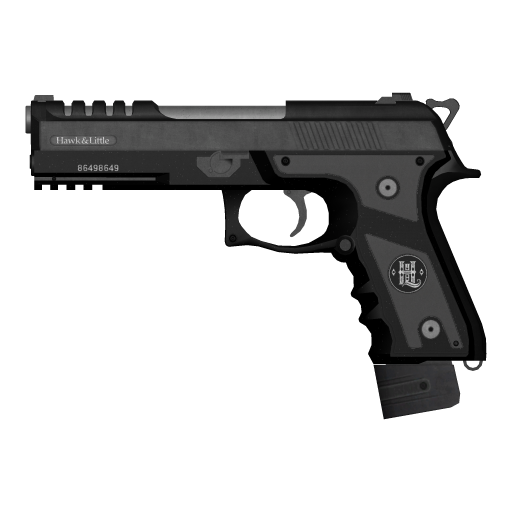
WEAPON_
PISTOL_ MK2.webp As it comes
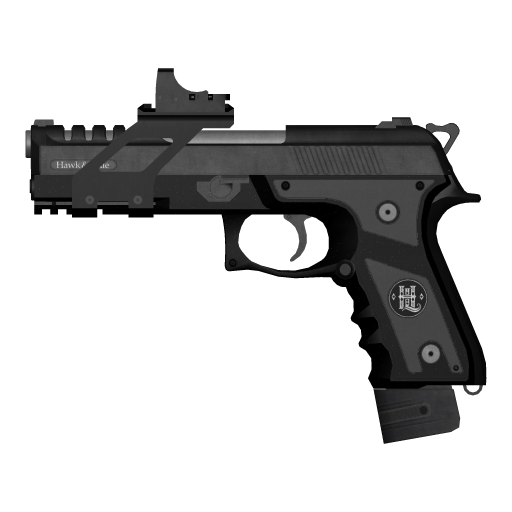
COMPONENT_
AT_ PI_ RAIL.webp Mounted scope
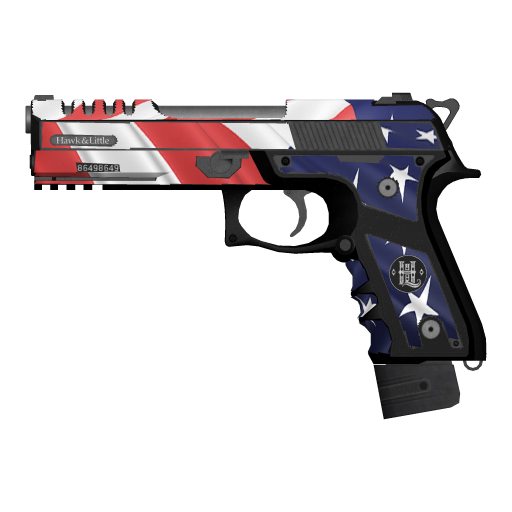
COMPONENT_
PISTOL_ MK2_ CAMO_ IND_ 01.webp Patriotic camo, slide included
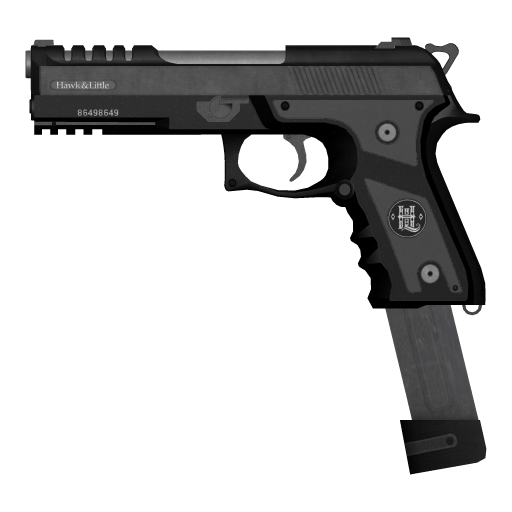
COMPONENT_
PISTOL_ MK2_ CLIP_ 02.webp Extended magazine
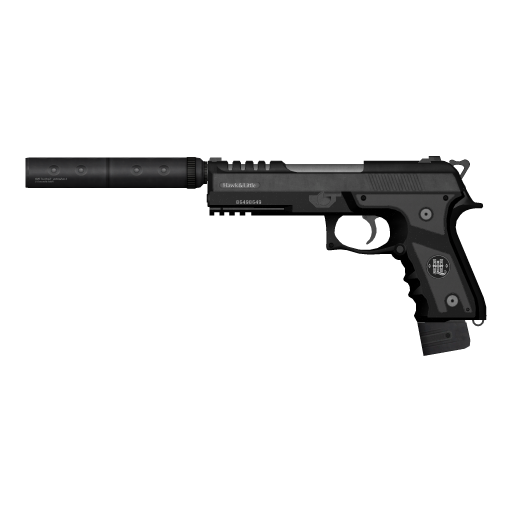
COMPONENT_
AT_ PI_ SUPP_ 02.webp Suppressor
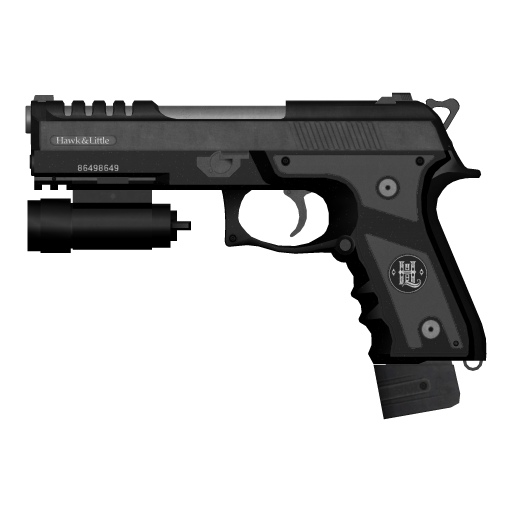
COMPONENT_
AT_ PI_ FLSH_ 02.webp Flashlight
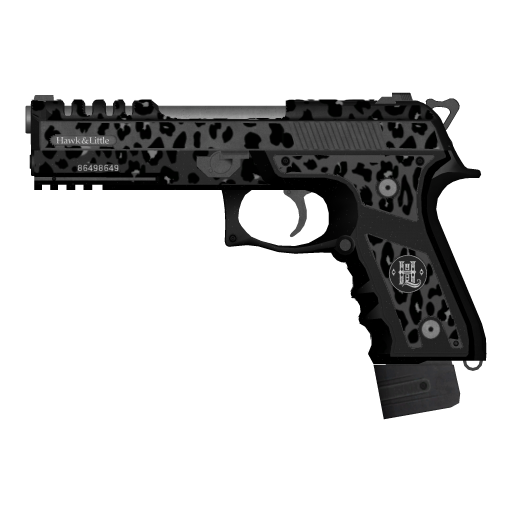
COMPONENT_
PISTOL_ MK2_ CAMO_ 07.webp Leopard camo
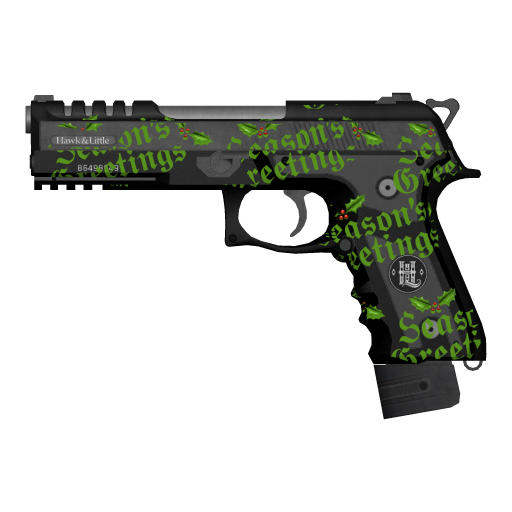
COMPONENT_
PISTOL_ MK2_ VARMOD_ XM3.webp Finish


Pistol MK II, 8 of its 32 tints
tints/{weapon}_{tint}
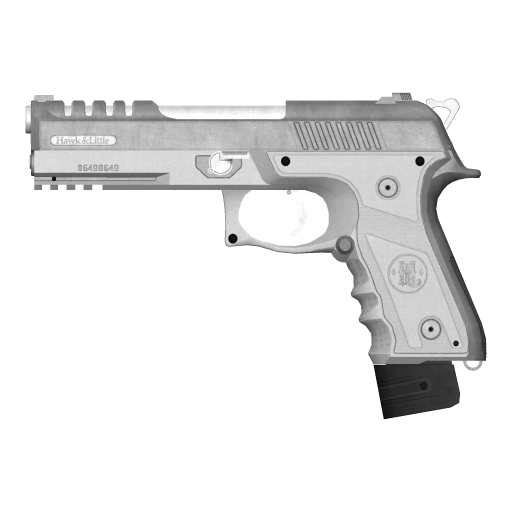
WEAPON_
PISTOL_ MK2_ 3.webp Tint 3, Classic White
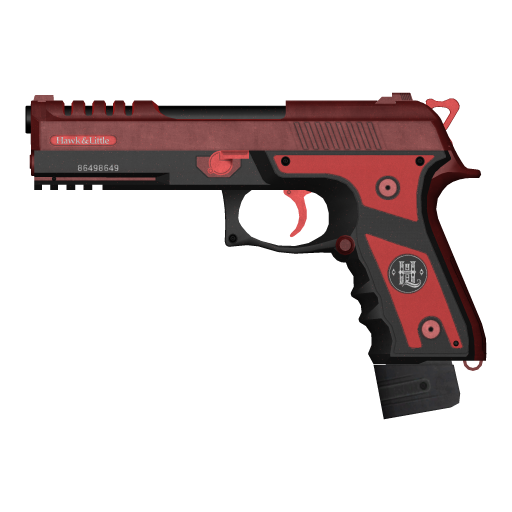
WEAPON_
PISTOL_ MK2_ 9.webp Tint 9, Red Contrast
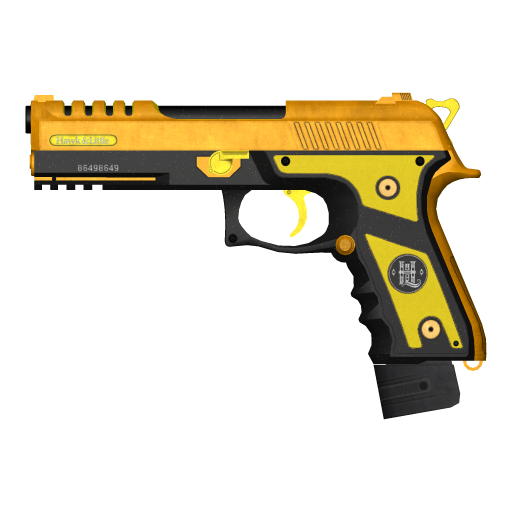
WEAPON_
PISTOL_ MK2_ 11.webp Tint 11, Yellow Contrast
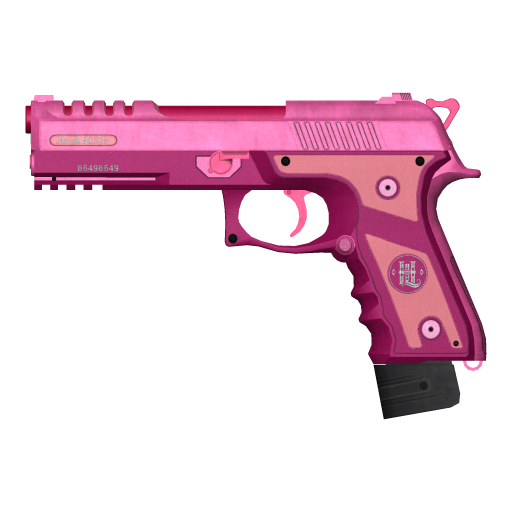
WEAPON_
PISTOL_ MK2_ 13.webp Tint 13, Bold Pink
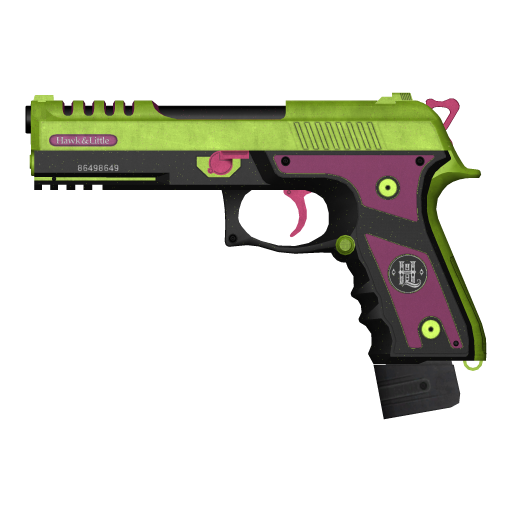
WEAPON_
PISTOL_ MK2_ 16.webp Tint 16, Bold Green & Purple
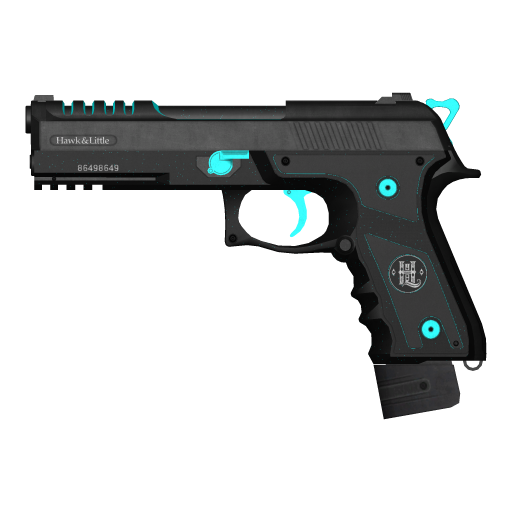
WEAPON_
PISTOL_ MK2_ 19.webp Tint 19, Bold Cyan Features
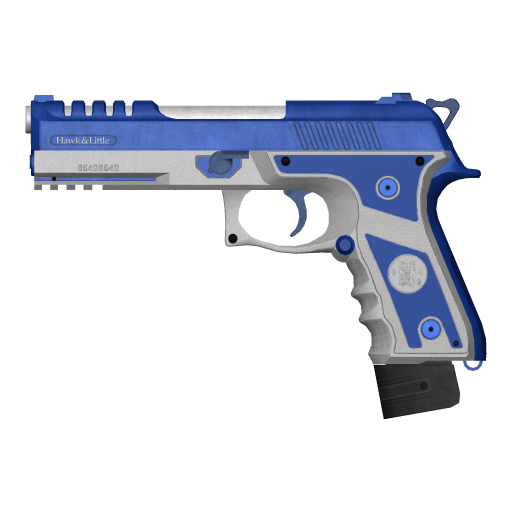
WEAPON_
PISTOL_ MK2_ 22.webp Tint 22, Bold Blue & White
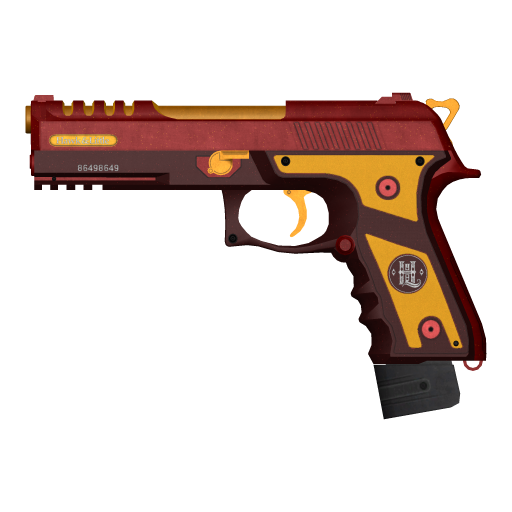
WEAPON_
PISTOL_ MK2_ 31.webp Tint 31, Metallic Red & Yellow


Micro SMG finishes
A finish swaps the weapon's model
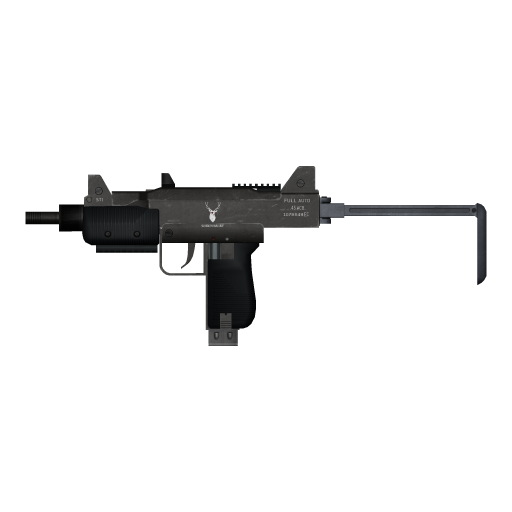
WEAPON_
MICROSMG.webp As it comes
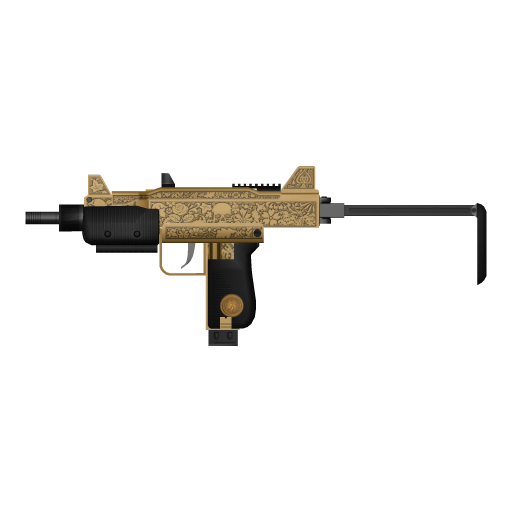
COMPONENT_
MICROSMG_ VARMOD_ LUXE.webp Luxury finish
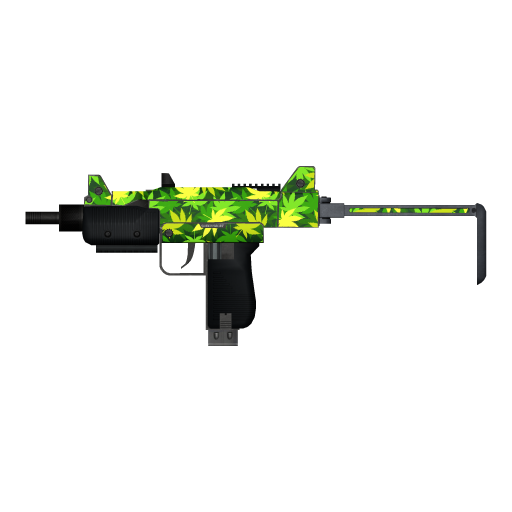
COMPONENT_
MICROSMG_ VARMOD_ SECURITY.webp Leaf print finish
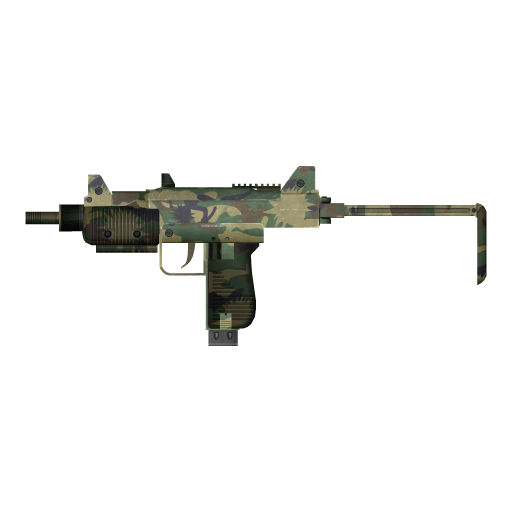
COMPONENT_
MICROSMG_ VARMOD_ XM3.webp Camo finish


05Thumbnail Generator
Images that drop straight into a menu
One window for clothing and weapons, in the Thumbnails menu: choose on the left, check every image on the right, then generate.
RPFView – Thumbnail Generator
Views
Clothing from the front, three-quarter, side or back. Weapons from the side (muzzle right or left), three-quarter or top, with knives and bats laid flat.
128 to 1024 pixels
Each item framed on its own, so small hats and long coats both fill their tile.
PNG, WebP or JPG
PNG and WebP keep the transparent background; JPG goes on white. WebP at quality 90 is about 7× smaller than PNG, which keeps a big clothing menu light.
Preview first
Every image appears in the preview before you generate, under its slot or weapon and with its file name.
Placeholders left out
Rockstar's checkerboard textures and flat stand-in models are skipped by default and faded in the preview, so the junk never reaches your menu.
Fast
On PCs with 8 or more processor threads, several background processes draw at once. A stopped run continues where it left off.
06How it works
From game files to menu in three steps
- 1
Open the Thumbnail Generator
Thumbnails → Clothing… for clothing: All clothing of a ped, or a Folder such as your resource's
streamfolder. Thumbnails → Weapons… for weapons. - 2
Choose and preview
Tick the slots (tops, hats, shoes …) or weapon groups, pick a size, camera and format, and a name preset such as FiveM: game numbers. The preview shows every image as it will be saved.
- 3
Generate and copy the folder
Generate writes one image per item and texture variation, in the subfolders of the pattern. Drop the folder into your clothing menu, shop or inventory.
Questions
With All clothing of in the Thumbnail Generator they are the game's numbers: every component and prop of the base game and all DLC packs, counted in the game's load order, as SetPedComponentVariation takes them (male top 55 is the police shirt). The FiveM: game numbers preset writes the same names as fivem-greenscreener, such as male_11_55.png and male_prop_0_46.png.
If your scripts use the collection natives (SetPedCollectionComponentVariation …), pick FiveM: collections instead: names such as male_11_male_heist_3.png carry the collection and the item's number inside it, which stay the same when a new DLC pack shifts the game numbers. See RPFView for FiveM.
Yes. For images, choose Thumbnails → Clothing…, then Folder, and pick the resource's stream folder; to try textures, open a model from it in Drawable Studio. Files such as mp_m_freemode_01_mp_m_mypack^jbib_000_u.ydd are grouped by the collection named before the ^, so male, female and prop files with the same names don't mix, and new texture variations are saved with the same prefix.
Images of stream files are named by collection, such as male_11_mp_m_mypack_0.png, because their game numbers depend on the other clothing on your server.
Yes, with the Thumbnail Generator in the Thumbnails menu. Clothing… makes an image of every clothing item in every texture variation of the slots you choose, and Weapons… one per weapon, tint, component, camo and finish. A preview shows every image before you start. Images are PNG, WebP or JPG at 128 to 1024 pixels, with a transparent background except for JPG.
File names come from a pattern such as {slot}/{drawable}_{texture} or {weapon}. Clothing is numbered like the game, so the numbers match the ones scripts and FiveM use. Step by step: clothing images and weapon images; more on RPFView for FiveM.
No. RPFView supports GTA V Legacy for PC only (GTA5.exe). GTA V Enhanced (GTA5_Enhanced.exe, the 2025 gen9 edition) is not supported, and neither are GTA IV or RDR.
Since March 2025 Epic Games lists GTA V Legacy and GTA V Enhanced separately. If you only have Enhanced installed, download GTA V Legacy from your library and point RPFView at that folder.
Yes. RPFView is free to download and use. There are no accounts and no ads. Download it here.
Picture every outfit on your server
Free for Windows. Renders from your own GTA V Legacy files, on your PC.
RPFView is a desktop app: it does not run on your server or inside FiveM, and it is not affiliated with Cfx.re.